Services Catalog, Pricing & Clinical Departments
The Central Services Catalog
The Services Management hub (/dashboard/settings/services) allows clinic administrators to structure treatment offerings, establish standardized billing rates, and categorize services by clinical department.
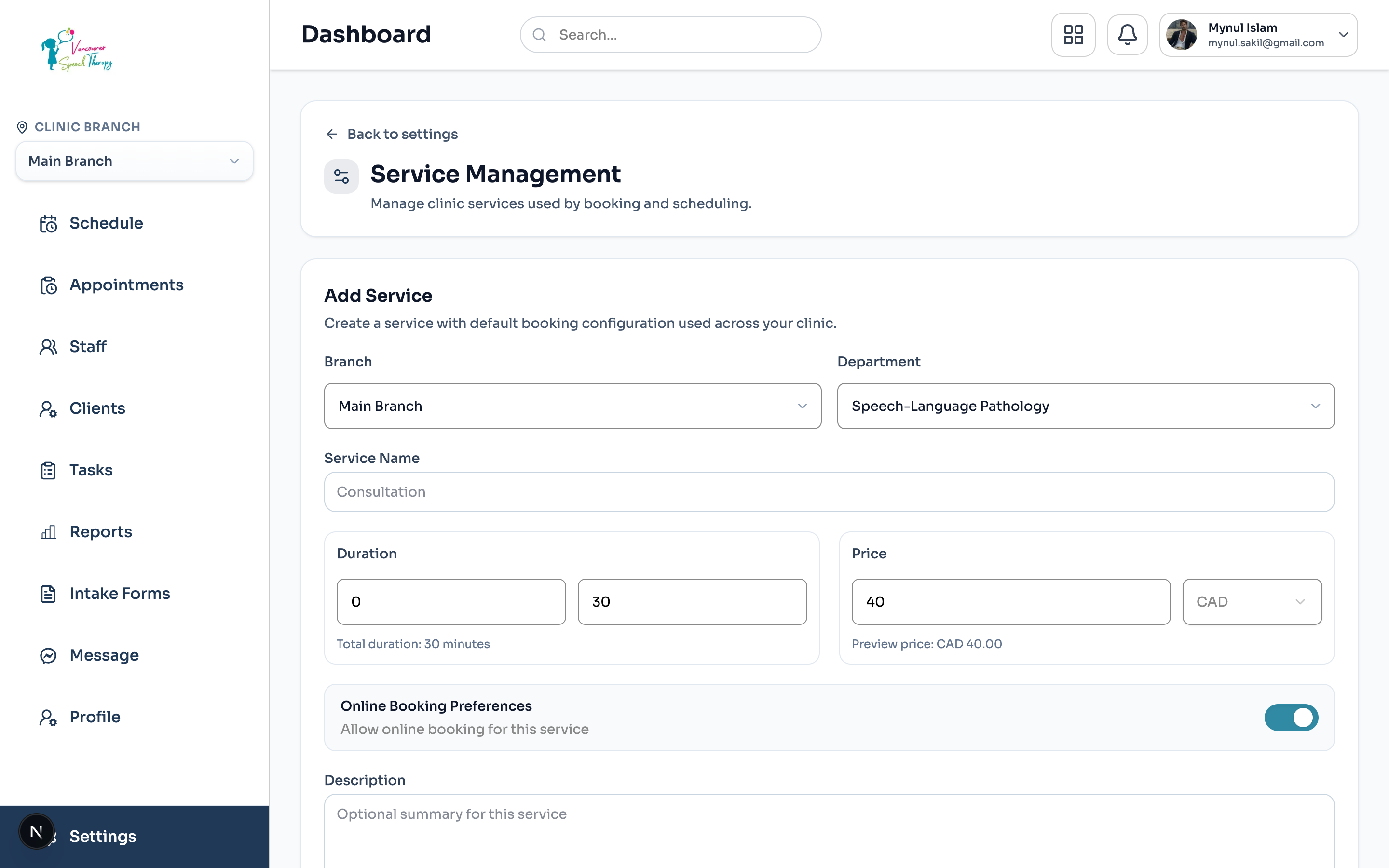
Navigate to Dashboard > Settings > Services Management.
Browse services grouped by department disciplines (such as Speech-Language Pathology, Occupational Therapy, Physiotherapy, or Assessment).
Quickly review key service attributes: Duration (e.g. 45 min, 60 min), Base Fee ($ CAD), and Tax eligibility.
Configuring a Treatment Service
When adding or modifying a clinic service:
Click '+ Add Service' in the top right header.
Input the public Service Name (e.g. 'Initial Speech Assessment', 'Follow-up Therapy Session').
Assign the parent Clinical Department.
Set Duration (minutes) and optional Buffer Time (padding between appointments for charting or cleaning).
Define Standard Fee ($ CAD) and select whether GST/PST applies.
Assign Authorized Practitioners: designate which clinicians are certified to provide this specific service.
Toggle Online Booking: specify whether patients can book this treatment self-service on the web widget or if it requires front-desk scheduling.
Was this guide helpful?
Your feedback helps our clinical documentation team improve.