Automated Jane App Data Migration Wizard
The 6-Stage Guided Migration Pipeline
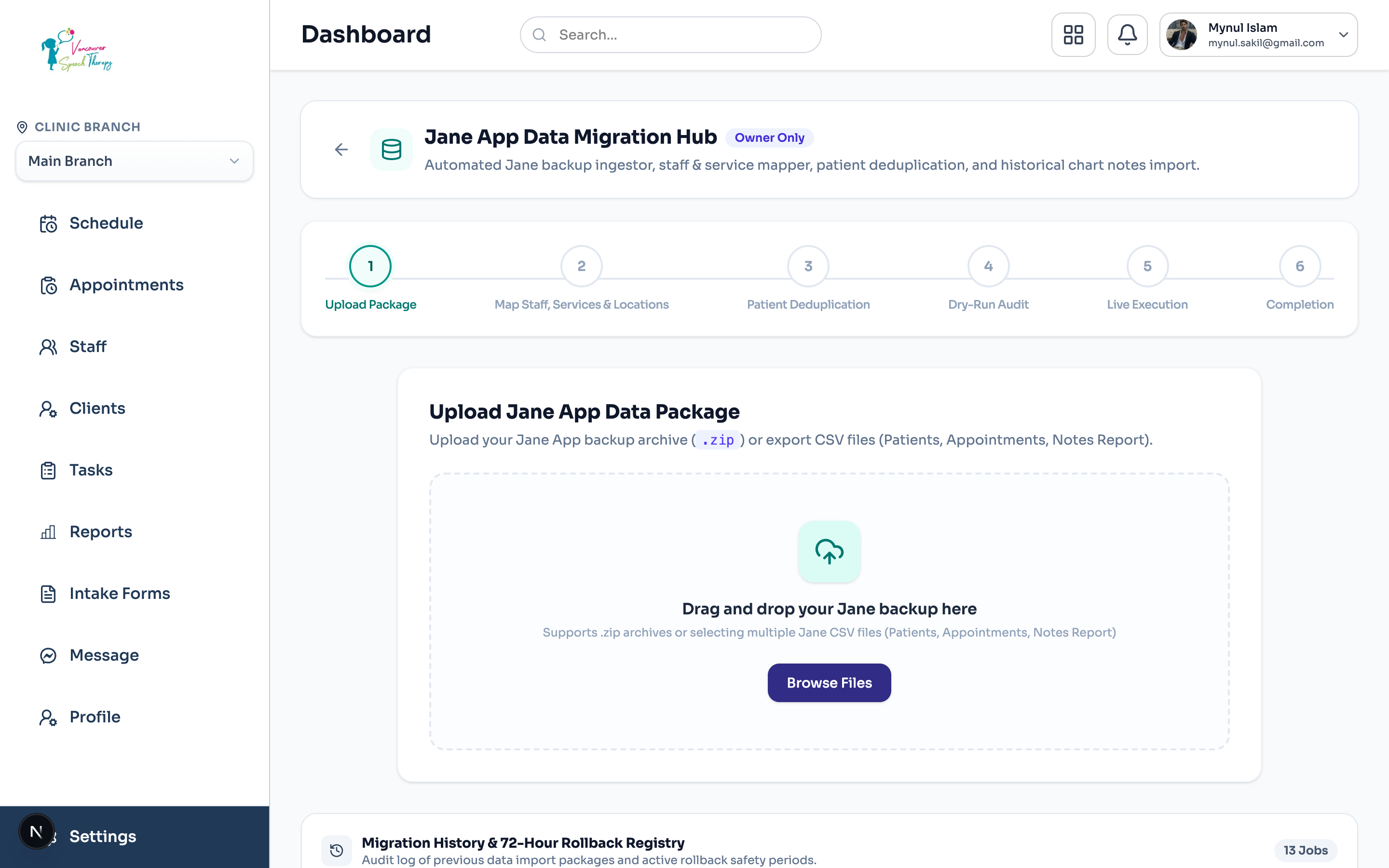
Migrating from Jane App to Emmai is fully automated via our built-in Migration Wizard (/dashboard/settings/data-migration). The wizard safely ingests, inspects, maps, and imports your clinic data without downtime.
Step-by-Step Migration Stages
The wizard walks you through 6 deterministic stages to ensure 100% data fidelity:
Zero Data Loss Guarantee
Stage 1 - Package Upload: Upload your complete Jane .zip backup archive or select individual Jane CSV files (Patients, Appointments, Chart Notes, Billing). The server unpacks and validates the manifest.
Stage 2 - Entity Mapping: Intelligently match Jane staff members to Emmai practitioners, and Jane clinic locations to Emmai branches.
Stage 3 - Deduplication & Adjudication: Detect matches between uploaded Jane clients and existing Emmai patient profiles. Choose to merge history or create distinct patient records.
Stage 4 - Dry-Run Scorecard: Review a comprehensive pre-flight simulation. Inspect exact counts of appointments, chart notes, and invoices that will be created before anything touches your production database.
Stage 5 - Live Progress Monitor: Execute live import with real-time Server-Sent Events (SSE) streaming progress bars and granular import logs.
Stage 6 - Completion & Rollback Safety: Review the final import summary. If any discrepancy is discovered, a single-click Rollback reverts all imported records safely.
Was this guide helpful?
Your feedback helps our clinical documentation team improve.