Day-Level Availability Exceptions & Caseload Impact
Recurring Shifts vs. Day-Level Overrides
While recurring working hours define a clinician's regular weekly schedule, day-level exceptions allow practitioners to record planned vacations, sudden sick days, or split shifts for specific dates without altering their permanent schedule.
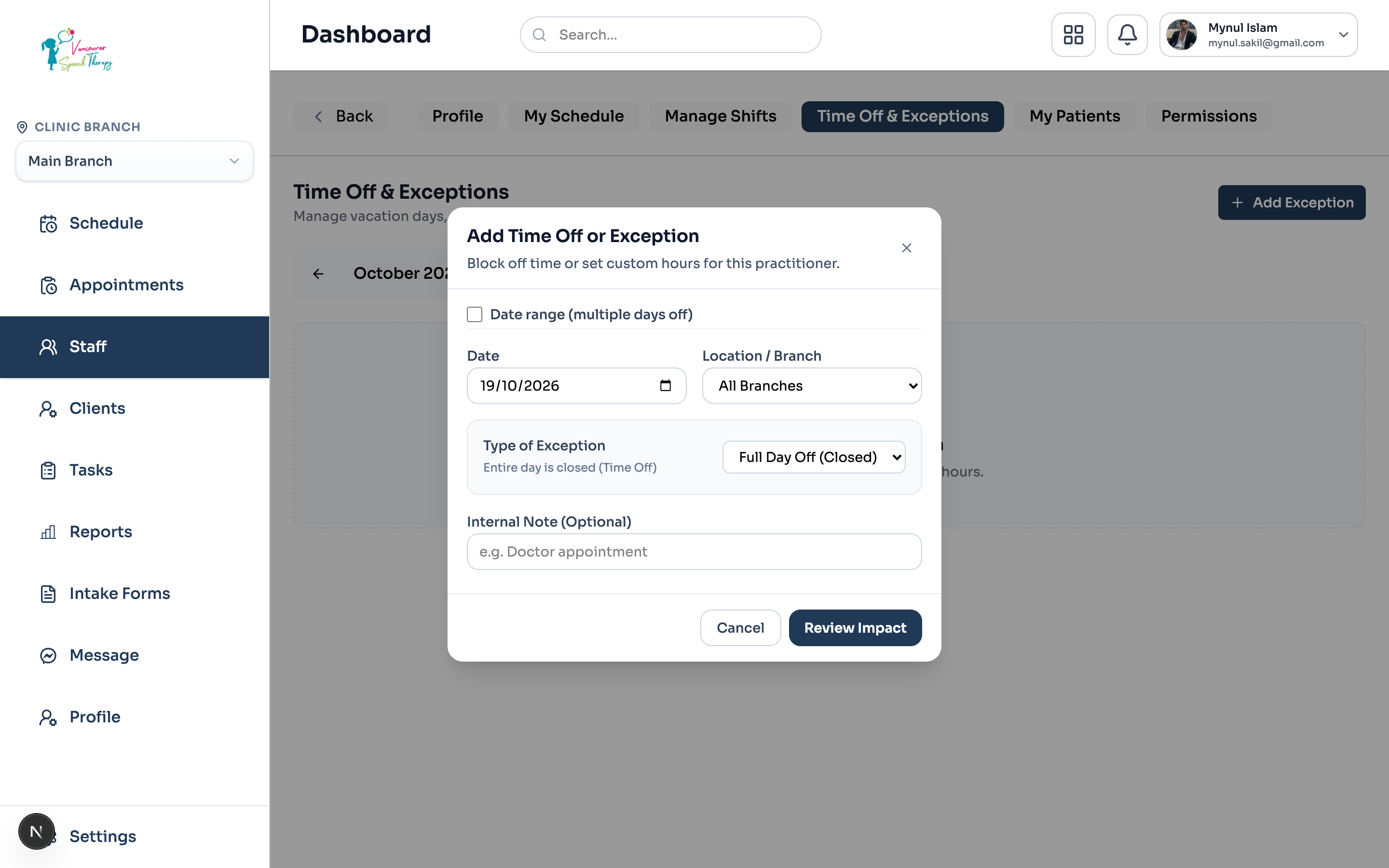
Adding a Day Exception
To record an availability exception for a practitioner:
Navigate to Staff > select the Practitioner > Shifts & Availability tab.
Click 'Add Day-Level Exception'.
Select the exception type: 'Full Day Off (Vacation/Sick)', 'Modified Working Hours', or 'Split Shift'.
Choose the affected date or date range, and provide an internal reason.
Click 'Check Availability Impact'. Emmai immediately runs the Caseload Impact Analyzer.
Caseload & Series Impact Assessment
If the practitioner has pre-existing appointments scheduled during the selected time-off window, Emmai displays a caseload impact warning modal:
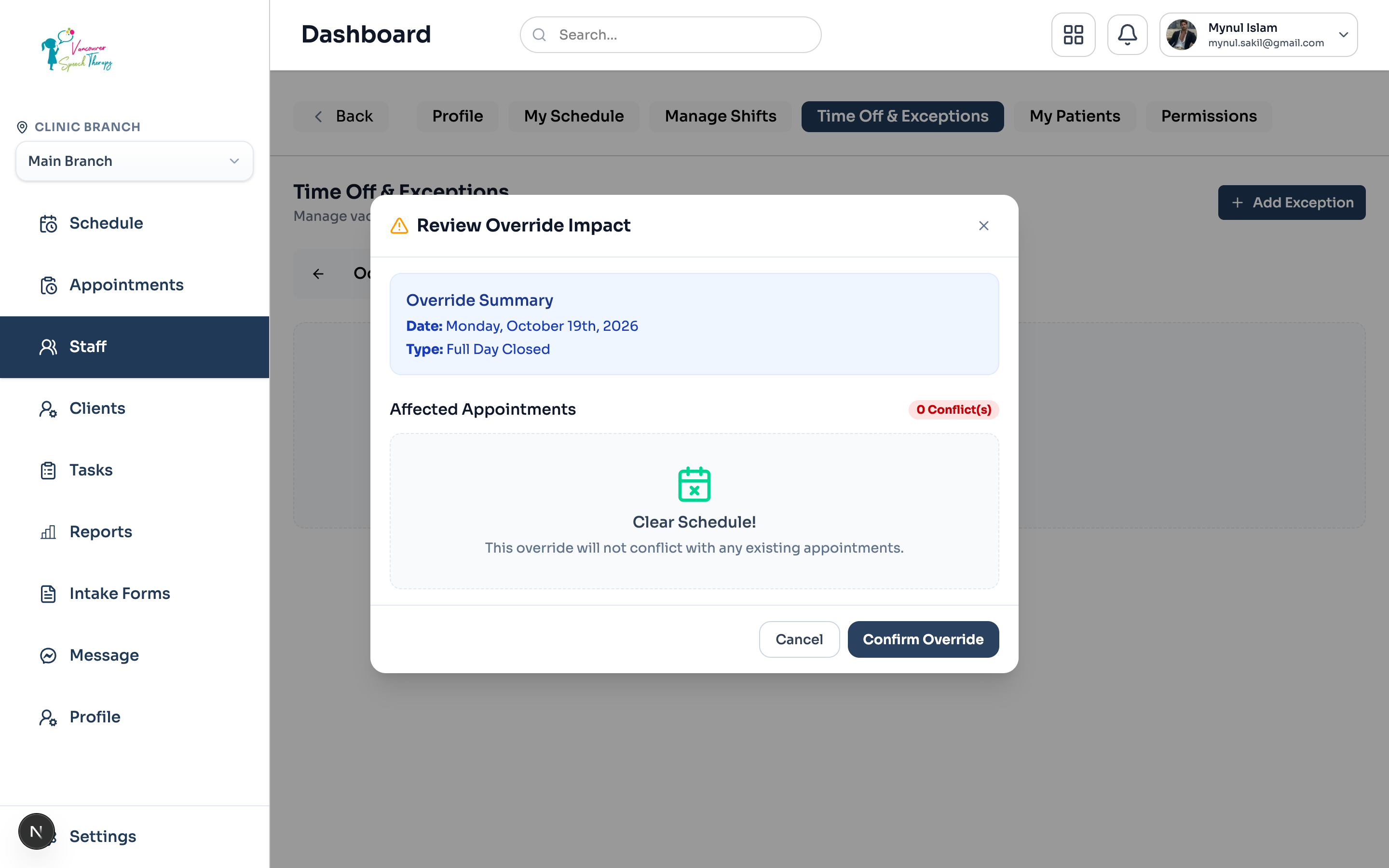
Client Protection Policy
Was this guide helpful?
Your feedback helps our clinical documentation team improve.