Clinic Settings Hub, Profile & Branding
The Centralized Settings Hub
The Clinic Settings Hub (/dashboard/settings) provides authorized clinic owners and administrators with full administrative control over practice operations, locations, staff rosters, service pricing, and historical data imports.
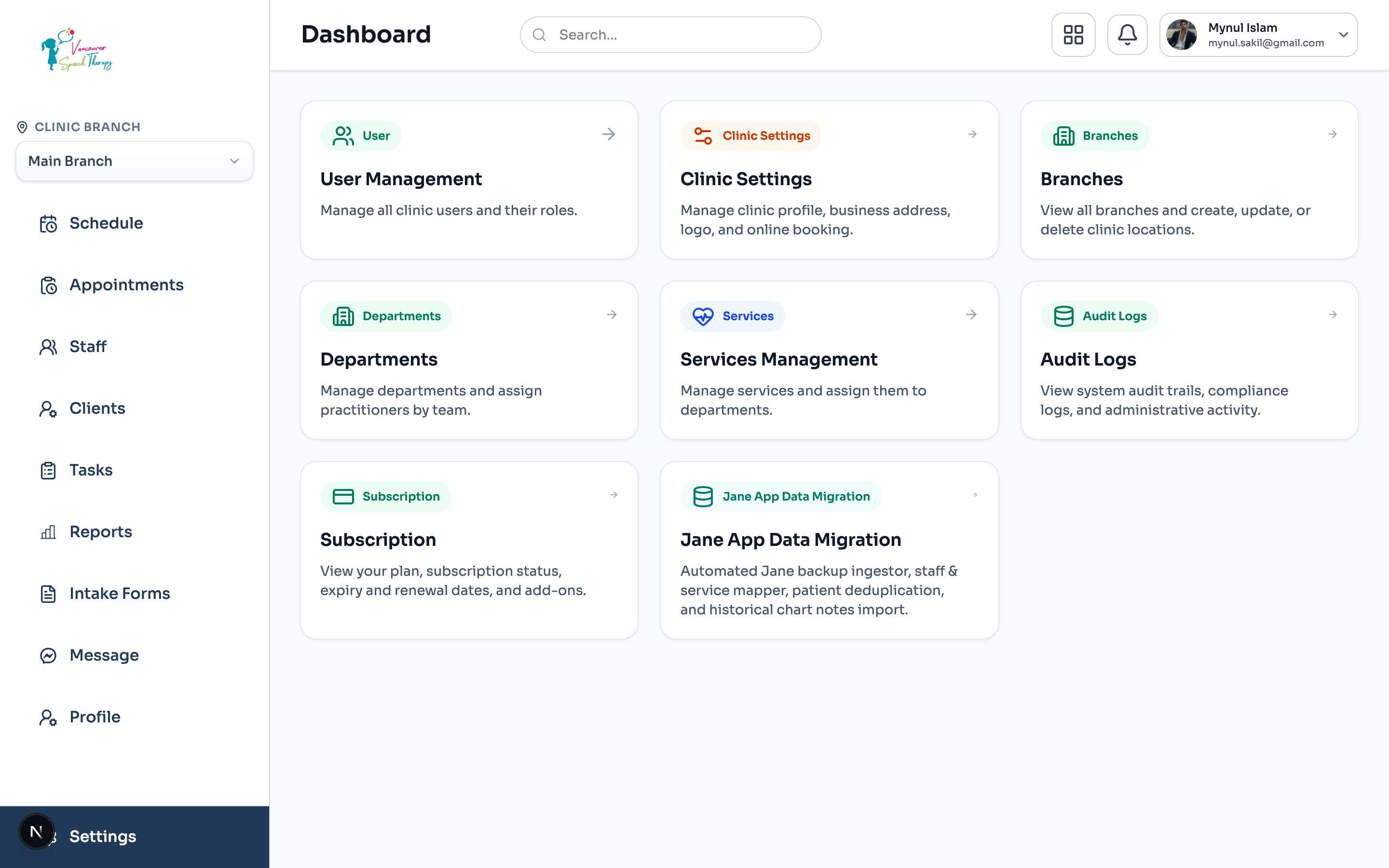
Navigate to Admin Dashboard > Settings from the left sidebar.
Select from dedicated management modules: User Management, Clinic Profile, Branches, Departments, Services, and System Audit Logs.
Owners can also access Subscription limits, plan renewals, and the automated Jane App Data Migration wizard.
Clinic Profile, Contact Channels & Legal Information
Under Clinic Settings (/dashboard/settings/clinic), customize your clinic's identity displayed across client appointment notifications, public booking widgets, and official billing receipts:
Invoice & Receipt Compliance
Business Name & Slug: Configure your legal practice name and authentic clinic subdomain.
Branding & Logo: Upload high-resolution clinic logos rendered on patient invoice headers and patient portal interfaces.
Contact Coordinates: Set the primary telephone, billing support email, and emergency contact details.
Operating Timezone: Designate your primary clinic timezone for scheduling rules and reminder dispatch.
Was this guide helpful?
Your feedback helps our clinical documentation team improve.