Practitioner Treatment Notes & Free-Form Charting
Free-Form Treatment Observations
For routine consults, short check-ins, or ongoing therapy adjustments that do not require a full 4-part SOAP assessment, clinicians can create standard Practitioner Notes:
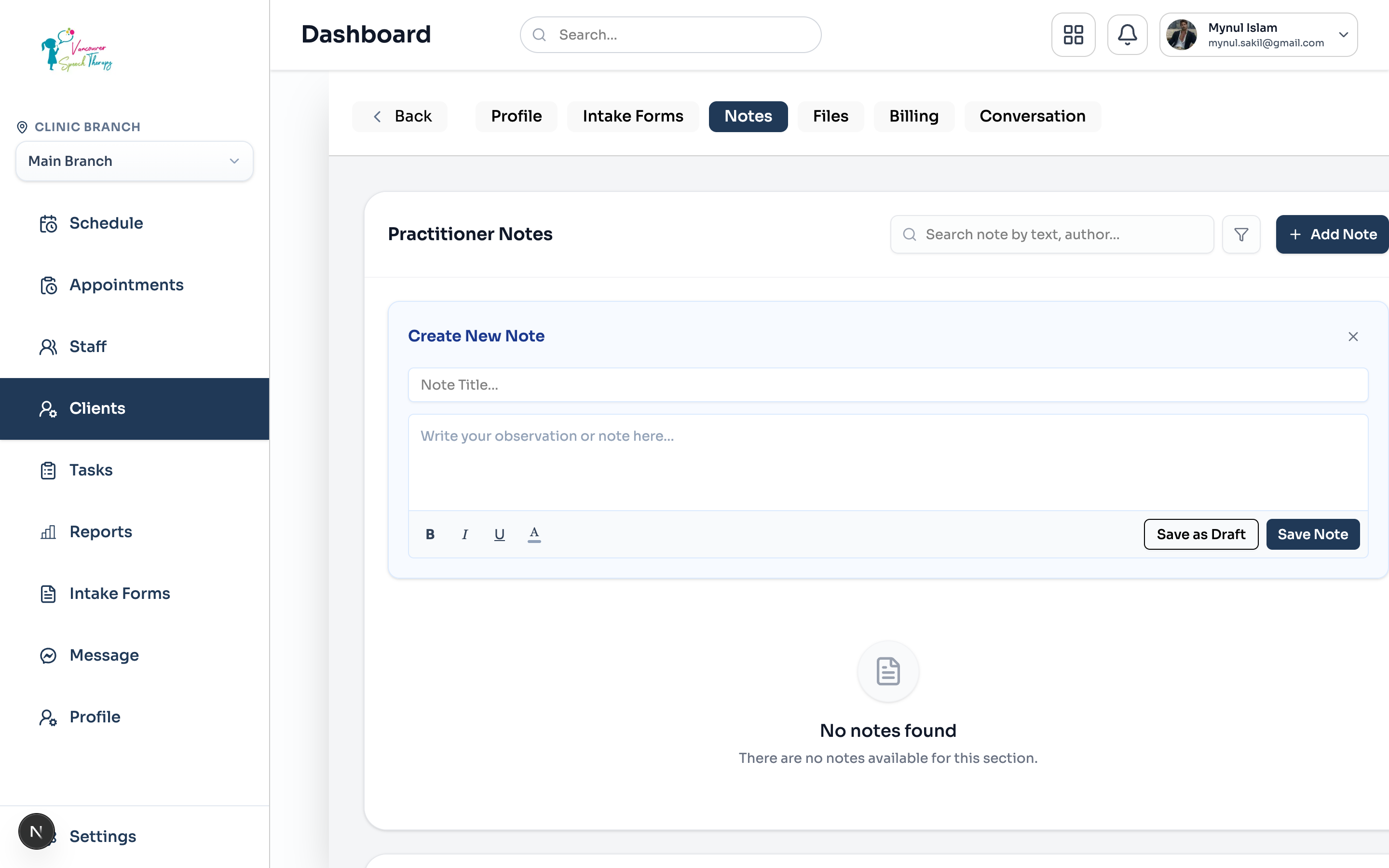
Navigate to Clients > select a client > open the Notes tab.
Under the 'Practitioner Notes' section header, click '+ Add Note' and select 'General Note'.
Enter an informative Note Title (e.g., 'Artic Session 4 - R Sound Mastery Check').
Format clinical observations using the rich-text toolbar (bolding, italics, underlines, text colors, and lists).
Click 'Save Note' to publish or 'Save as Draft' if further details will be added after charting hours.
Note Filtering & History Search
Clinicians can quickly locate past session notes without scrolling through endless pages of client history:
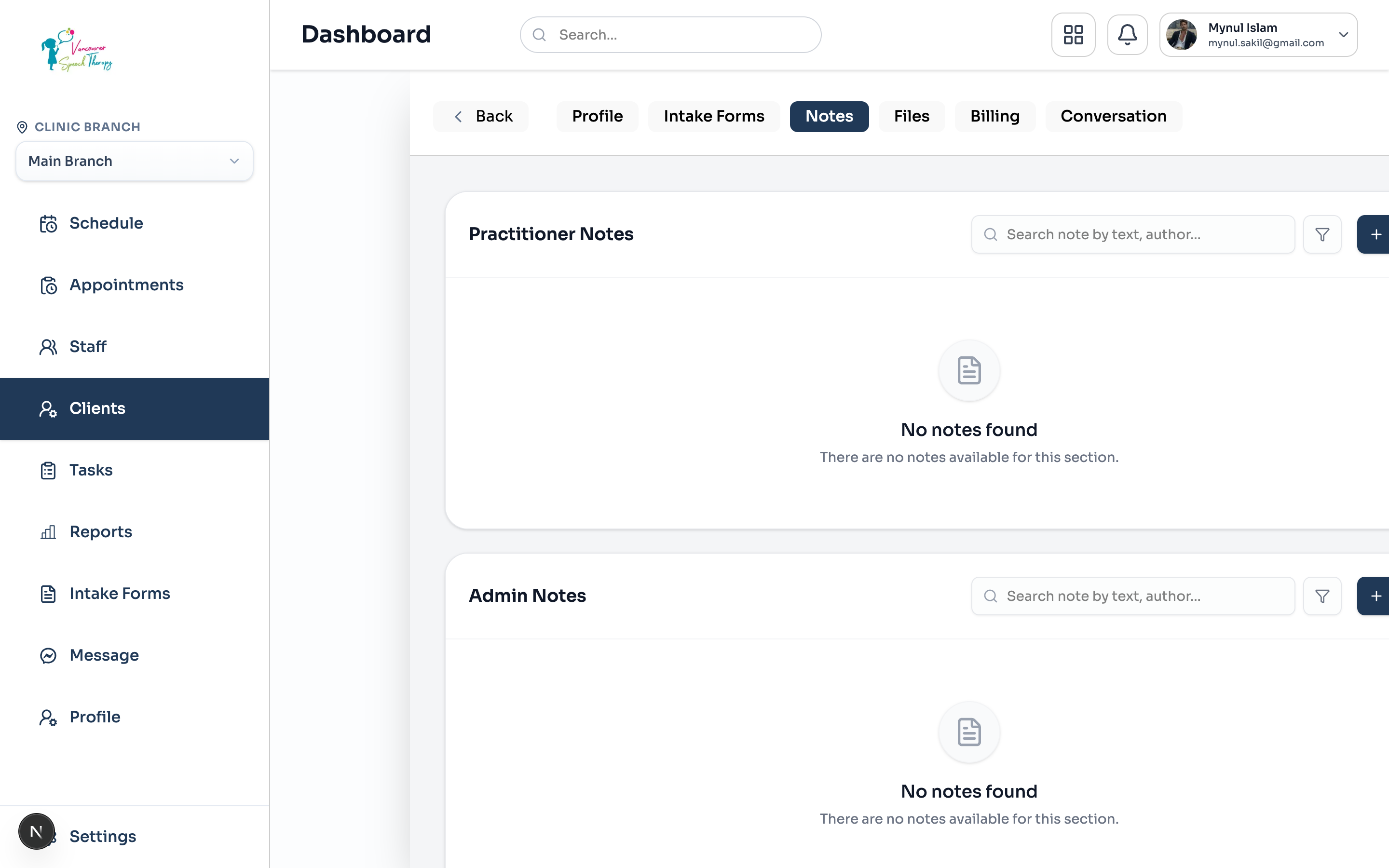
Search Query: Use the instant search bar to find notes by keyword, treatment technique, or author name.
Filter by Status: Click the filter icon to isolate All Notes, Active Notes, Starred Notes, or Archived Notes.
Starring Critical Notes: Pin crucial treatment notes (such as allergy precautions or sensory accommodations) to the top of the timeline for fast review.
Was this guide helpful?
Your feedback helps our clinical documentation team improve.