Clinical Charting, SOAP Notes & Digital Signatures
4-Part Structured Clinical Assessment
Emmai provides a specialized SOAP Note editor for clinicians. Accessible via Client Profile > Notes > Add Note > SOAP Note, each entry is structured into four distinct, rich-text clinical sections:
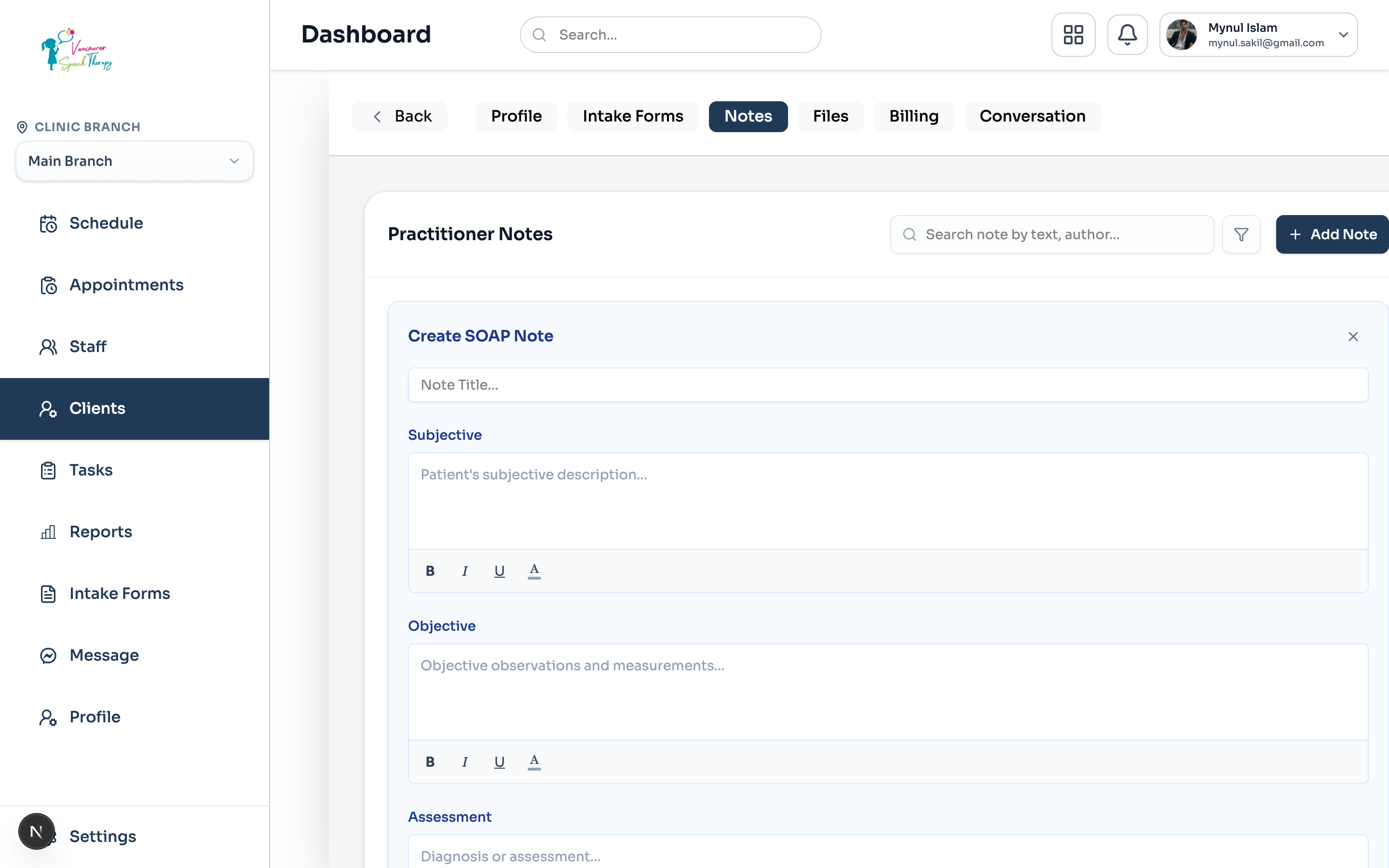
Subjective: Document the patient's reported symptoms, concerns, functional complaints, and updates since their prior consultation.
Objective: Record measurable clinical data, vital signs, physical exam observations, standardized test scores, and therapeutic exercises performed.
Assessment: Provide professional clinical evaluation, diagnostic impressions, differential analyses, and measurable progress toward therapy goals.
Plan: Formulate ongoing treatment directives, home exercise programs, recommended appointment frequency, and next visit dates.
Draft Lifecycle & Digital Signature Locks
Clinical notes support flexible drafting during busy treatment schedules while adhering to strict medico-legal compliance requirements:
Legal Addendum Policy
Draft Status: Clinicians can begin documenting during or immediately after a session and click 'Save as Draft'. Draft notes remain editable for additions or corrections.
Active Status: Once all four sections are complete, saving as 'Active' publishes the note to the client's official clinical timeline.
Complete & Digital Lock: Finalized notes can be marked 'Completed' with a digital timestamped credential lock. Once completed, historical text cannot be overwritten.
Was this guide helpful?
Your feedback helps our clinical documentation team improve.