Confidential Admin Notes & Internal Practice Memos
Separation of Administrative and Clinical Records
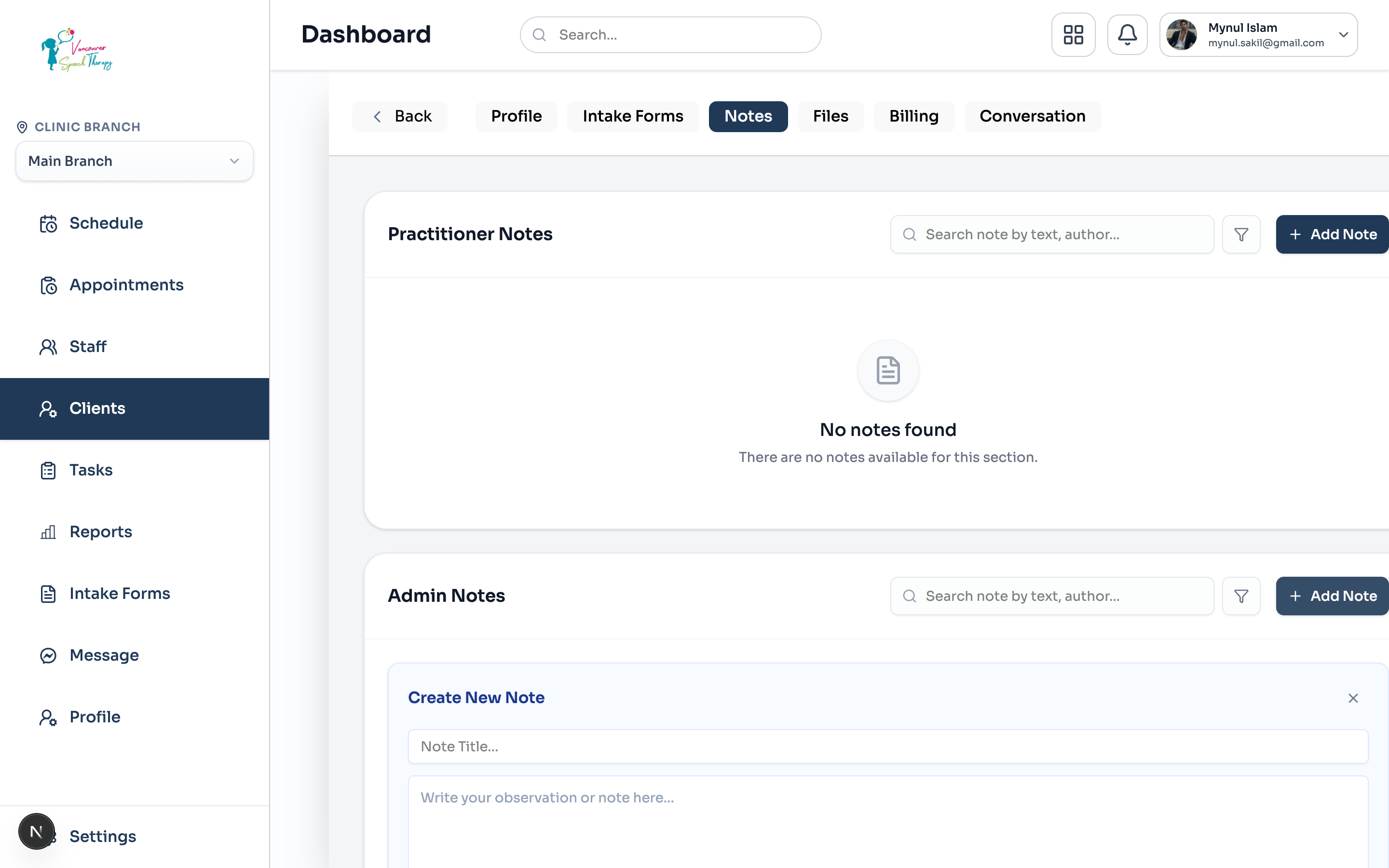
In high-performing clinics, front-desk administrators, billing coordinators, and practice managers frequently handle sensitive client operations that must NOT be mixed into medical treatment charts. Emmai provides dedicated 'Admin Notes' strictly separated from Practitioner Notes:
Payment & Credit Card Exceptions: Record authorized credit card bypasses, verbal payment plan agreements, or outstanding balance collection notices.
Guardian & Custody Documentation: Log sensitive custody instructions, authorized pickup contacts, and communication preferences between co-parents.
Reception Memos: Keep track of frequent cancellations, scheduling accommodations, sensory room preferences, or transportation assistance requests.
Third-Party Payer Communications: Document interactions with private insurance adjusters, provincial health ministries, or legal representatives.
Role-Based Access Control (RBAC) Isolation
Administrative notes are fortified by strict permission boundaries to protect practice security and patient privacy:
Confidentiality Assurance
Admin Access: Users with 'notes:admin:manage:own' and 'notes:admin:read:all' (Clinic Owners, Administrators, and Receptionists) have full control to create and review admin records.
Clinician Isolation: Practitioners with doctor credentials only have access to 'notes:practitioner:*'. Administrative billing discussions and internal practice remarks remain completely invisible to clinicians unless granted explicit admin permissions.
Creating an Admin Note: Open Client Profile > Notes tab > scroll to 'Admin Notes' > click '+ Add Note'. Input the memo title, write the internal remarks, and click 'Save Note'.
Was this guide helpful?
Your feedback helps our clinical documentation team improve.