Internal Team & Colleague Messaging (Doctor ↔ Staff ↔ Admin)
Secure Clinical Collaboration Between Colleagues
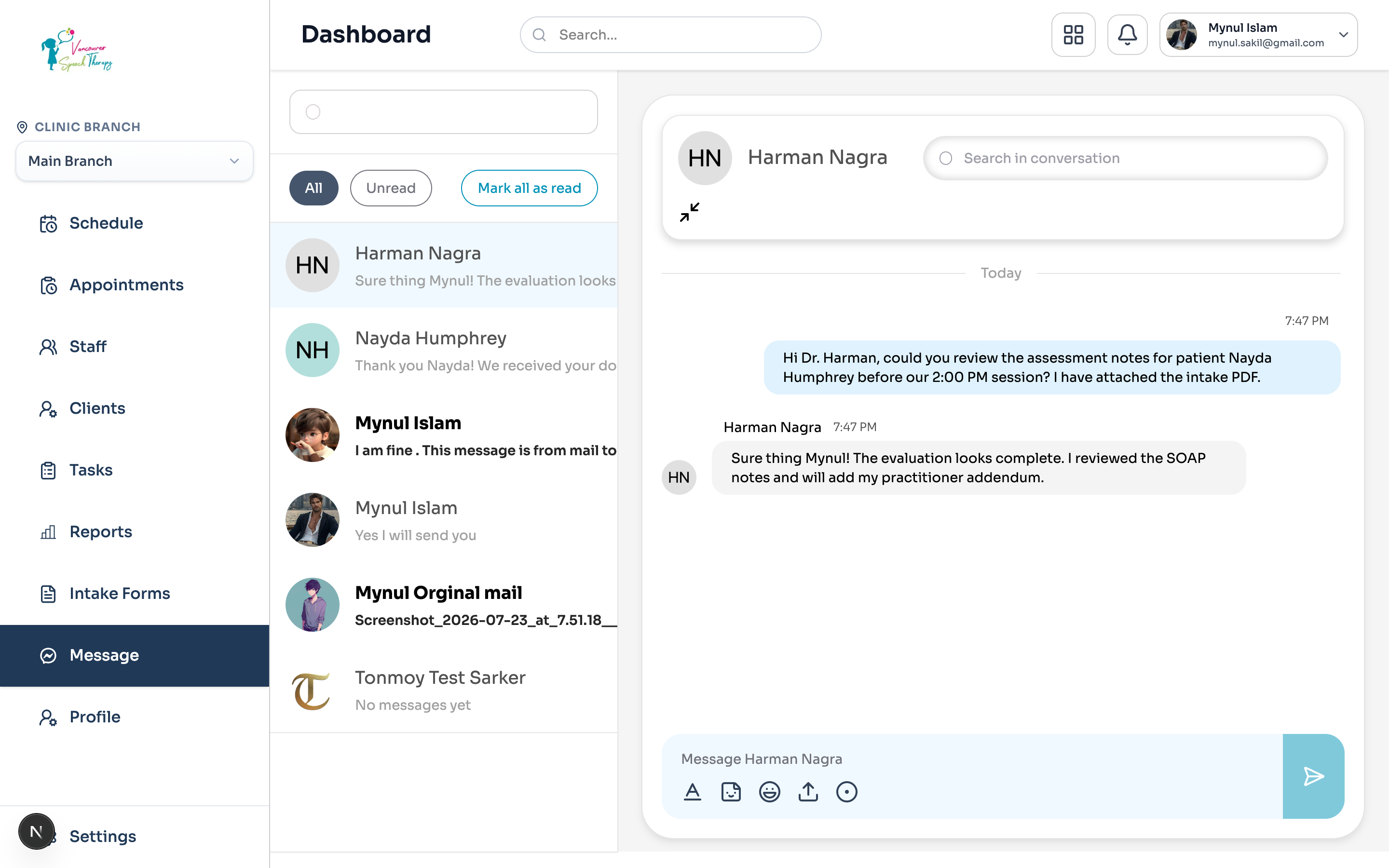
Modern clinical practices require rapid, HIPAA/PIPEDA-compliant communication between practitioners, clinic coordinators, and administrators. Emmai provides an integrated internal messaging system that connects doctors, staff, and clinic administrators directly inside the dashboard (/dashboard/messages). Internal chats allow team members to consult on complex patient cases, coordinate appointment handoffs, and review clinical chart notes before patient visits.
Searching & Starting Chats with Colleagues
You can initiate a conversation with any doctor, nurse, front-desk staff, or administrator across your clinic in seconds using the real-time colleague directory search:
Navigate to the Messages hub from the sidebar menu (/dashboard/messages).
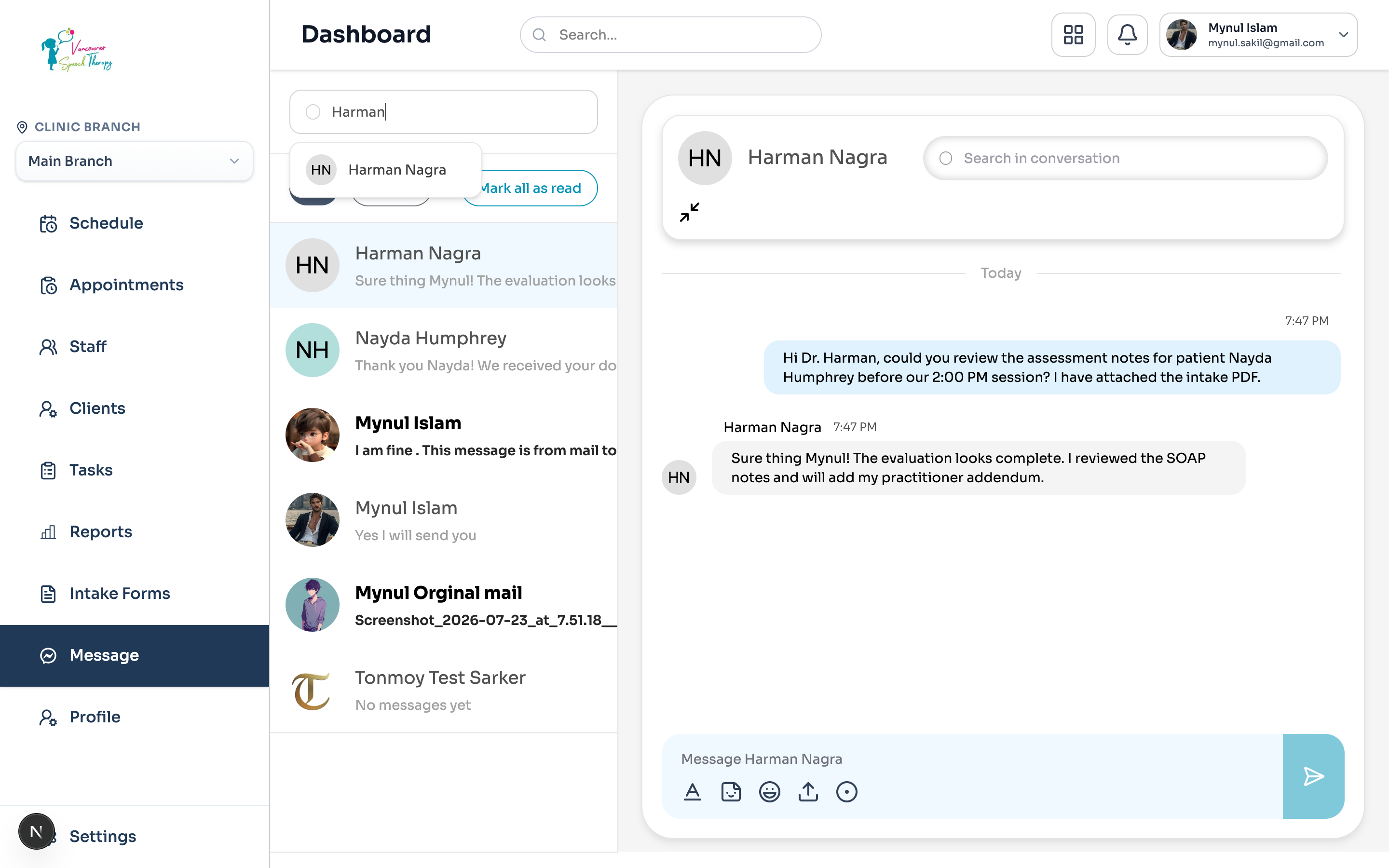
Click the Search input located at the top of the conversation list sidebar.
Type the first few letters of the colleague's name (e.g., 'Harman' or 'Nicholas'). The system queries /api/chat/search-users in real time with 400ms debouncing.
A floating Colleague Directory dropdown appears displaying matching staff profiles, their system avatars, and full names.
Click the colleague's profile card to instantly open or resume your private direct conversation.
Exchanging Photos, PDFs, and Medical Records
Clinical collaboration frequently requires reviewing documentation together. Emmai's chat engine includes built-in file and multimedia attachment support:
Strict Internal Privacy Isolation
Supported Attachment Formats & Size Limits: The internal chat upload pipeline accepts high-resolution clinical photos (PNG, JPEG, WEBP), diagnostic document reports (PDF), and clinical spreadsheets or intake summaries (Word .docx, Excel .xlsx) up to 10 MB per file.
One-Click File Upload: Click the Upload Document icon (tray / paperclip) next to the message composer to attach files directly from your computer. Attachments are securely uploaded to the clinic's encrypted document store via /api/chat/conversations/:id/upload-document.
Interactive Full-Screen Lightbox & Downloads: Images sent in chat feature built-in thumbnail previews that expand into a full-screen modal lightbox upon clicking. PDFs and Office documents display with native document icons, file sizes, and one-click direct download buttons.
Common Clinical Workflow Examples
Top ways multidisciplinary clinic teams leverage internal colleague messaging:
Pre-Appointment SOAP Reviews: A front-desk staff member or nurse flags an incoming intake form PDF for Dr. Harman Nagra to review before a 2:00 PM speech therapy evaluation.
Diagnostic Photo Consultations: A practitioner captures and shares high-resolution treatment progress photos to get a second opinion from a senior specialist.
Administrative Handoffs: Clinic administrators notify practitioners regarding verified third-party insurance approvals, billing exemptions, or schedule shift adjustments.
Emergency Schedule Changes: Front-desk coordinators alert doctors in real time about same-day patient cancellations or urgent walk-in arrivals.
Was this guide helpful?
Your feedback helps our clinical documentation team improve.