Card on File Policies & Credit Card Exemption (CC Bypass)
Why Admins Cannot Enter Raw Credit Cards Directly
In Emmai, clinic administrators CANNOT manually type in raw credit card numbers or CVC codes inside the dashboard. This strict security control ensures your clinic remains 100% compliant with Stripe PCI DSS Level 1 standards and protects your practice from chargeback liabilities.
Important Compliance Notice
How Patients Add Their Payment Card
Patients add and tokenize their cards through secure self-service channels:
Online Booking Checkout: Patients enter card details during public appointment reservation. A zero-dollar Stripe SetupIntent authenticates the card.
Patient Portal: Clients can log into their secure portal account and add, update, or remove payment cards anytime.
Intake Questionnaire: If configured, clients can provide payment method tokenization within their pre-visit digital intake form.
Granting a Credit Card Exemption (CC Bypass)
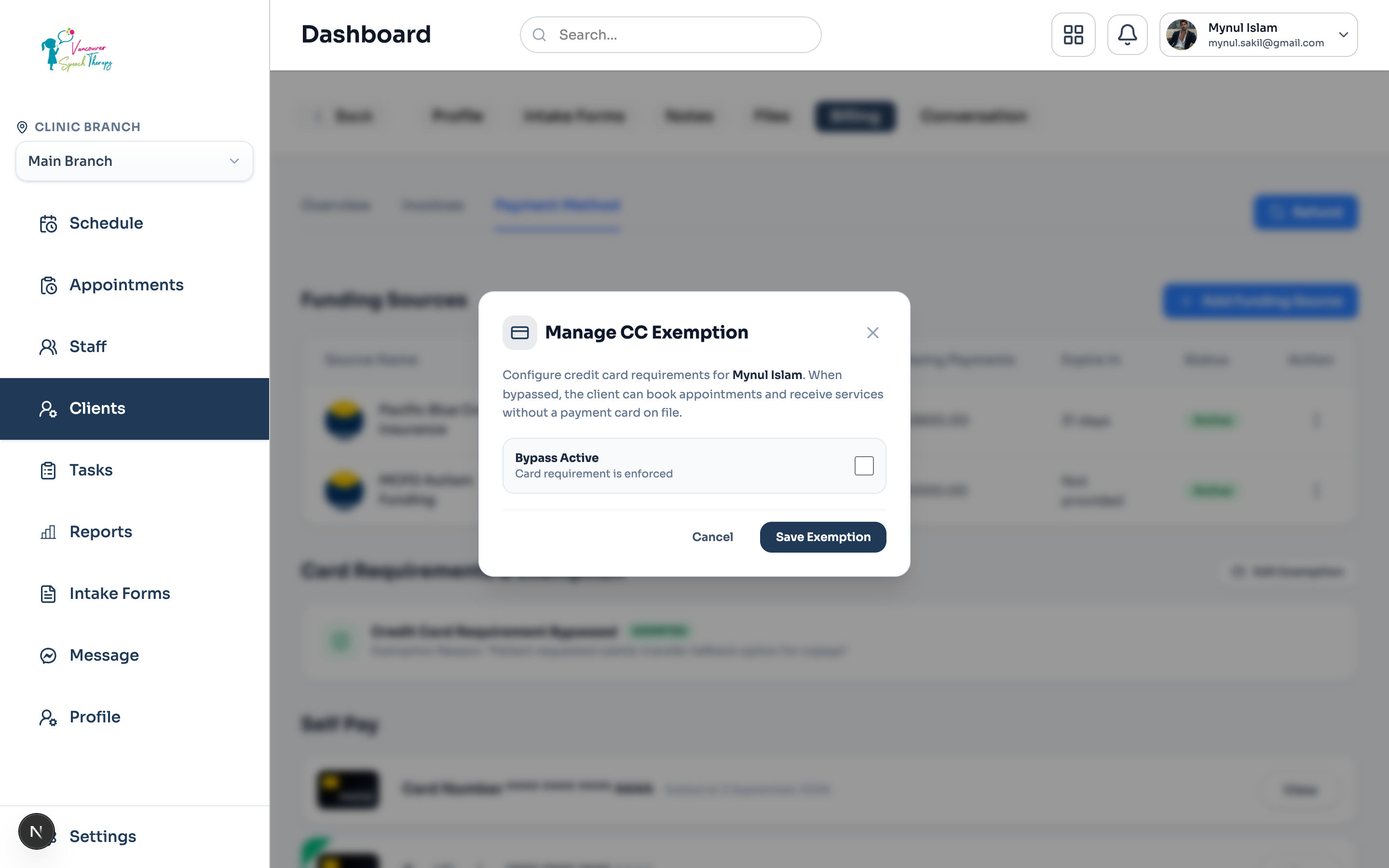
When a client is unable to provide a credit card (for example, pediatric patients, third-party agency funded clients, or cash-only patrons), an Admin can grant a formal Credit Card Exemption:
Navigate to Clients > select the patient.
Click the 'Billing' tab, then select the 'Payment Method' subtab.
Under 'Card Requirements & Exemption', click 'Grant Card Exemption'.
Select the authorized exemption reason (e.g. '100% Third-Party Insured', 'Cash / Cheque Agreement', 'Minor / Guardian Account').
Click 'Confirm Exemption'. The client will now be marked as 'EXEMPTED' and can book visits without entering card credentials.
Was this guide helpful?
Your feedback helps our clinical documentation team improve.