Processing Invoices, Payments, and Receipts
The End-of-Visit Checkout Flow
When an appointment concludes, front-desk staff can finalize the invoice and collect payment in seconds:
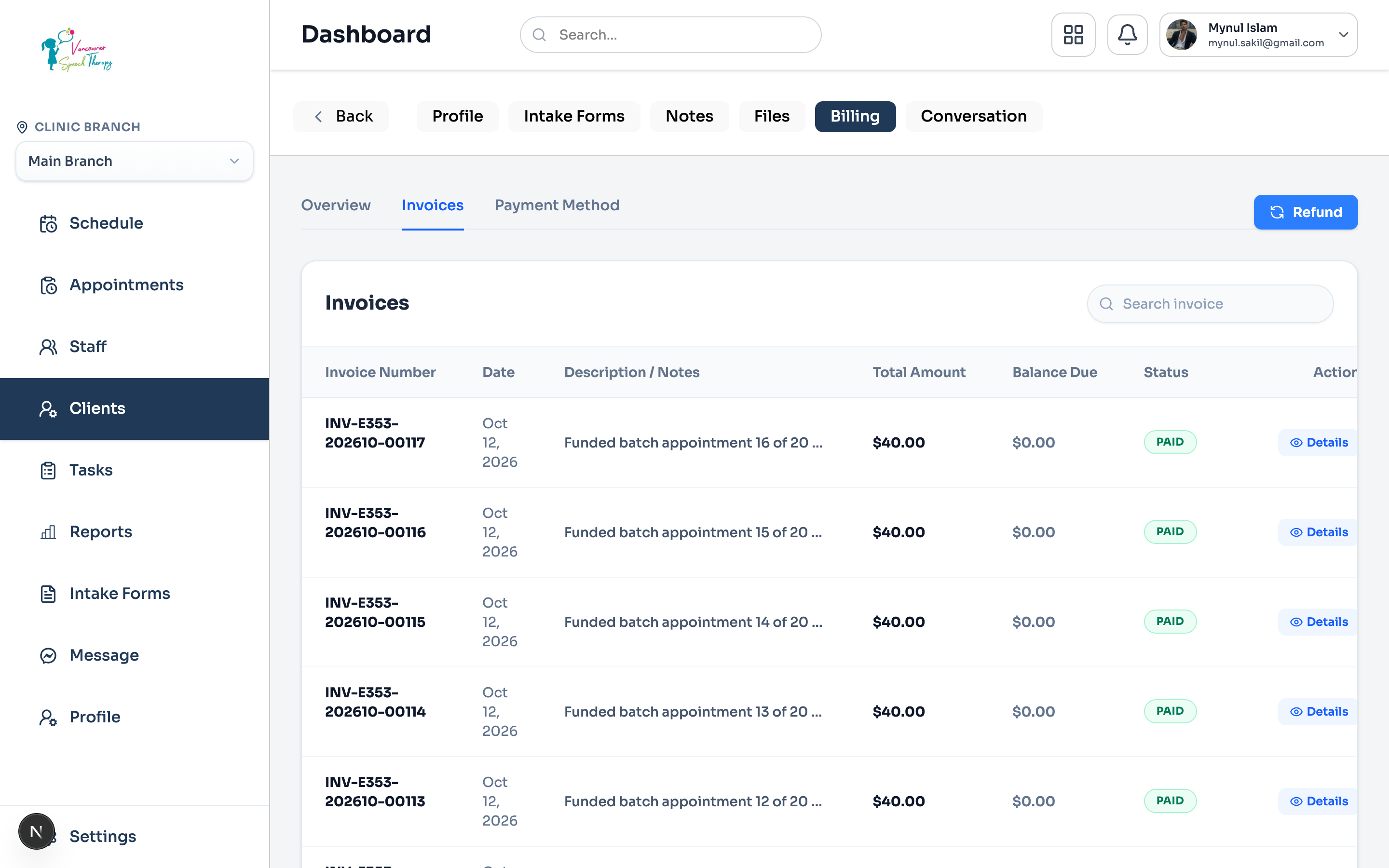
Click the completed appointment card and select 'Collect Payment'.
Review the line items (service fee, applied products, or insurance copays).
Select payment method: 'Charge Card on File', 'Manual Credit Card Terminal', 'Cash', or 'Apply Account Balance'.
Click 'Pay & Issue Receipt'. An itemized PDF receipt with clinic tax numbers is automatically sent to the patient's email.
Patient Financial Profile & Billing Overview
Under Client Profile > Billing > Overview, administrators and front-desk staff can inspect an individual patient's financial ledger, lifetime spend, and outstanding balances:
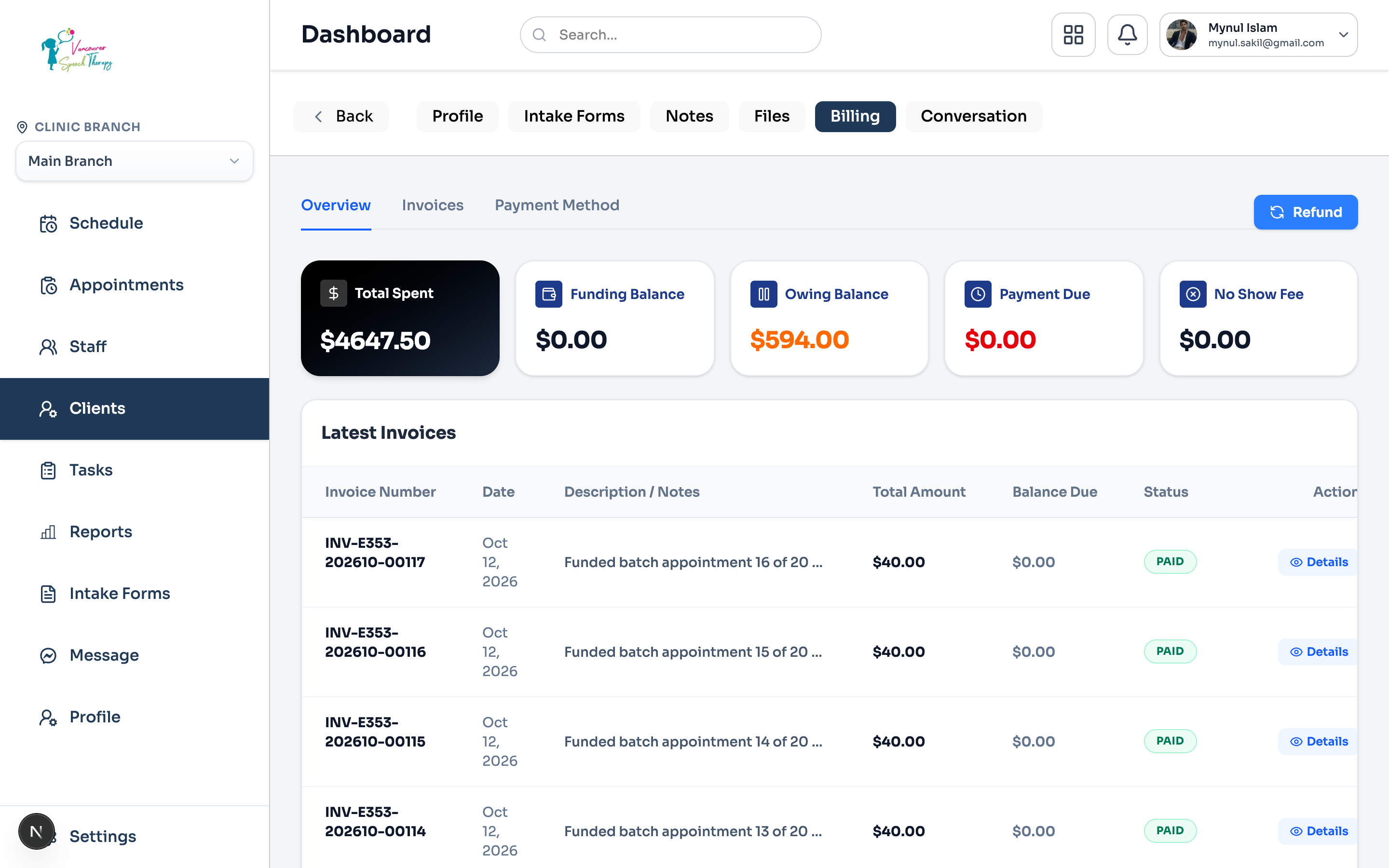
Navigate to Clients from the left navigation and click on the patient's name.
Click the 'Billing' tab at the top of the client profile, then select the 'Overview' subtab.
Review the client's financial summary cards: Total Spent to date, Total Amount Owing, and Past Due balances.
Examine the itemized ledger of finalized, open, and drafted invoices linked directly to this patient.
Was this guide helpful?
Your feedback helps our clinical documentation team improve.