Custom Form Builder & Secure Patient Document Vault
Drag-and-Drop Intake Form Builder
Emmai includes a built-in Form Builder (/dashboard/forms/builder) that enables clinic administrators to create tailored medical intake forms:
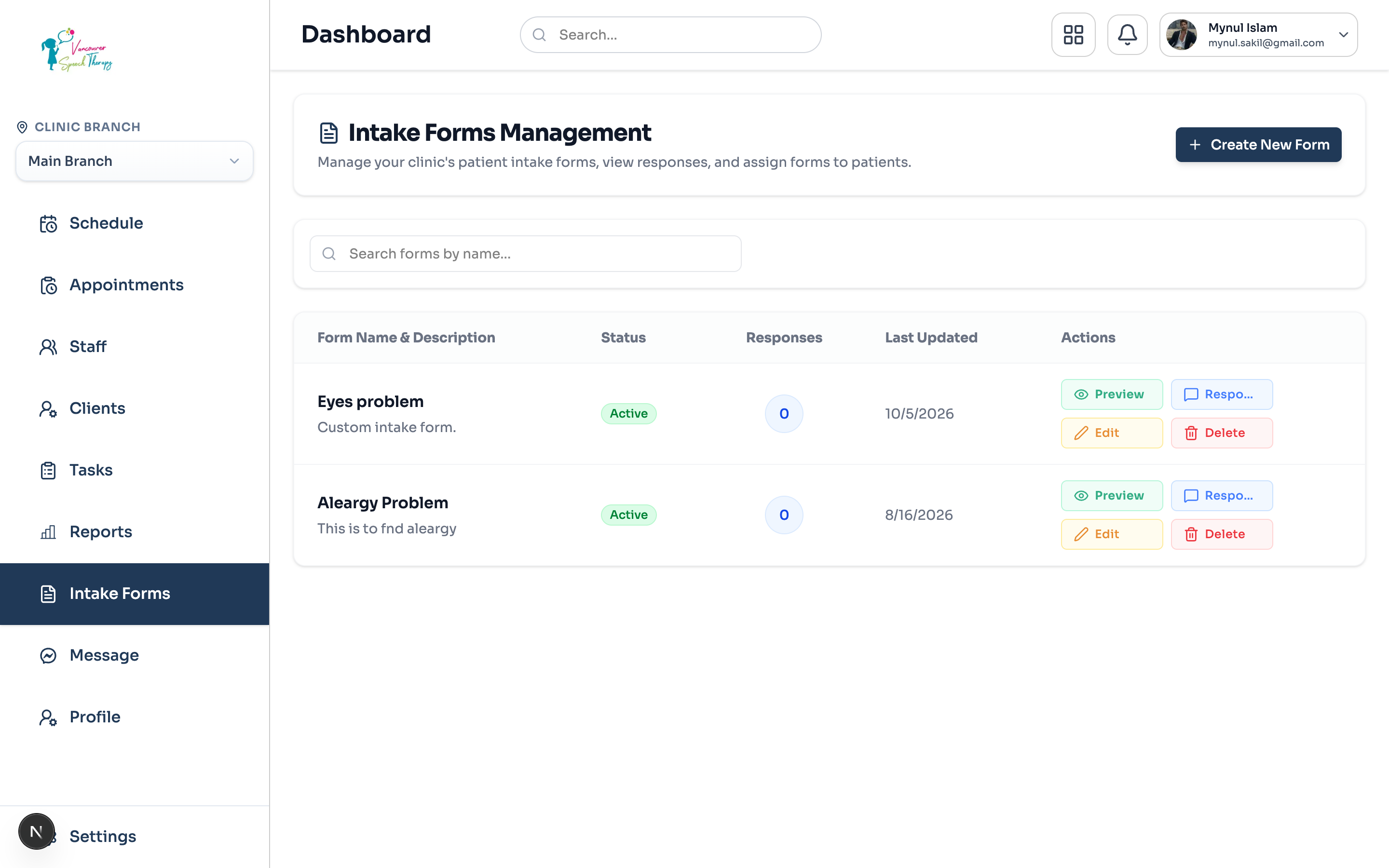
Navigate to Admin Dashboard > Intake Forms.
Click 'Create Form Template' to launch the builder.
Drag form components into place: text inputs, multiple choice, medical history checkboxes, and digital signature boxes.
Publish the form template and assign it as the default intake form for new clinic clients.
Secure Patient Document Vault
The Patient Document Vault (Clients > select patient > Files tab) securely stores PDF assessments, doctor referral letters, and imaging scans:
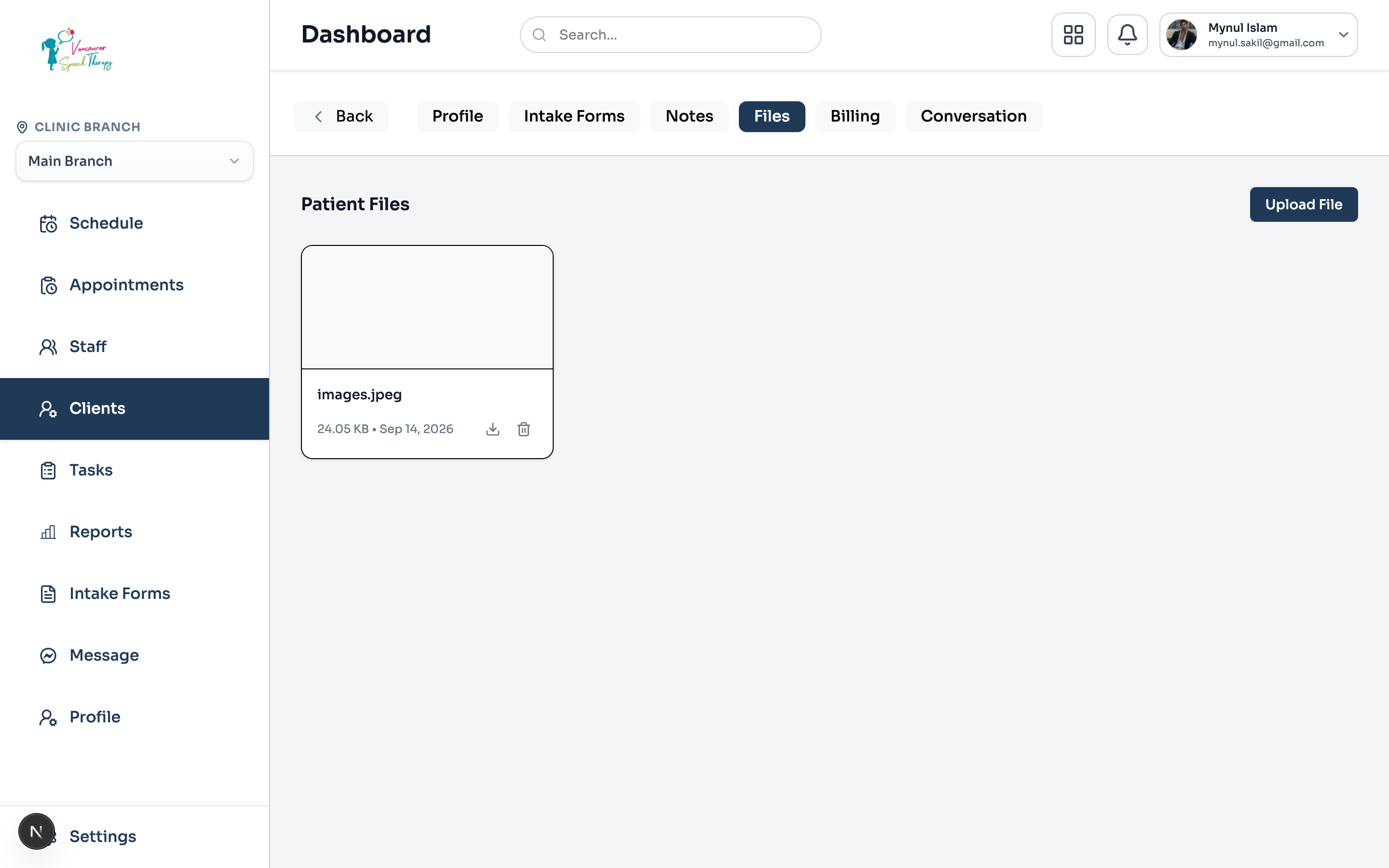
Upload documents in PDF, PNG, JPG, or DOC formats.
Tag files by category: 'Referral Letter', 'Assessment Report', 'Lab Work', or 'Consent Form'.
Toggle client visibility: choose whether the document is shared in the patient portal or kept as an internal clinical record.
Was this guide helpful?
Your feedback helps our clinical documentation team improve.